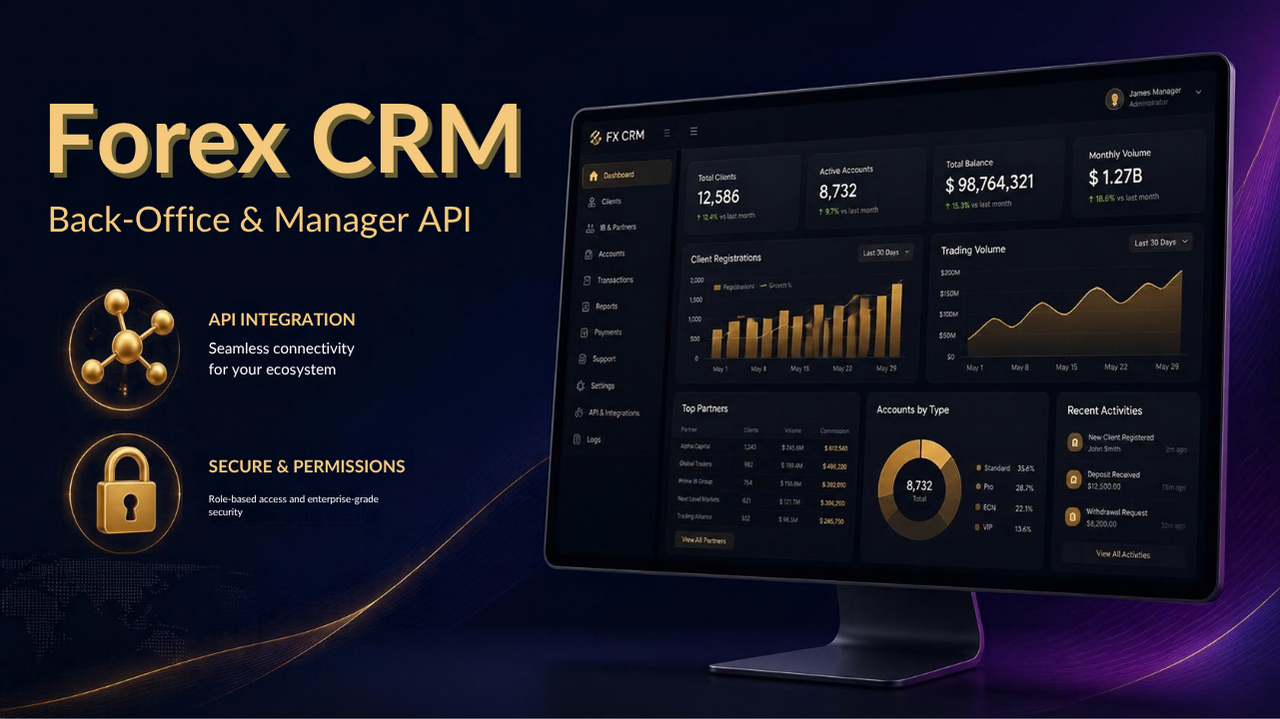
Most brokerage launches spend months choosing a trading platform, a liquidity setup, and a brand — and only a few weeks thinking about the system that will actually run daily operations behind the scenes. That system is the Forex CRM, and it is arguably the piece of infrastructure a growing brokerage depends on the most, precisely because almost nobody outside the operations team ever sees it working. Clients see a trading terminal. Regulators see reports. But every onboarding approval, every deposit reconciliation, every partner commission payout, and every support ticket routes through the Forex CRM first.
This guide looks at what a modern Forex CRM actually does behind the scenes, how the Forex Manager API fits into that picture, and what a back-office team should expect to be able to do — and confirm before they buy — once the platform is live.
⚙️ What a Forex CRM Actually Handles Behind the Scenes
A Forex CRM is often described loosely as "client management software," which understates what it is actually responsible for. In a working brokerage, the CRM is the system that ties together the trading platform, the payment rails, the compliance workflow, and the partner network into a single operational layer. That typically includes client registration and KYC document handling, trading account provisioning and group assignment, deposit and withdrawal request processing, IB and partner tracking, and the reporting that management, compliance, and finance each pull from on a different schedule.
Brokers evaluating a Forex CRM & back-office platform for the first time are usually surprised by how much of this work the CRM removes from manual spreadsheets and email chains. A well-built Forex CRM solution unifies these workflows so that a single client record — verification status, account history, deposit trail, assigned partner — is visible in one place rather than scattered across three or four systems that don't talk to each other. That single source of truth is what makes the rest of the back office, from compliance reviews to commission runs, tractable at scale.
🔑 The Forex Manager API: What It Actually Controls
The Forex Manager API is the layer that connects the CRM to the trading platform itself — typically MT4 or MT5 — and it is where a lot of the CRM's practical value actually lives. Rather than operations staff logging into a separate manager terminal to make changes, the API lets the Forex CRM read and write directly against trading accounts: adjusting group membership, applying or removing trading restrictions, pushing balance operations tied to approved deposits and withdrawals, pulling live equity and margin data into client-facing dashboards, and triggering automated actions such as margin call notifications or inactivity flags.
This matters most for brokers running both MT5 Grey Label and MT5 White Label setups, or planning to move from one to the other, because the Manager API is what keeps account provisioning and permissions consistent as the platform configuration changes. A broker that starts on a grey label group structure and later migrates to a dedicated white label server needs a CRM whose API integration doesn't have to be rebuilt from scratch — the account data, client history, and permission logic should carry over cleanly.
In practice, the API is also what determines how fast routine operations actually move. A deposit approved by a compliance officer should reflect in the client's trading account within seconds, not after a manual server-side lookup. A partner's commission structure change should apply to new trades immediately. None of that is possible without a properly implemented Forex Manager API sitting underneath the CRM's interface.
The Forex Manager API is where a lot of the CRM's practical value actually lives — it's the difference between a back office that reacts in seconds and one that reacts after a manual lookup.
🔒 Security, Roles, and Permission Layers
Because the Forex Manager API can touch live trading accounts and client funds data, permissioning is not optional — it is one of the first things a back-office team should test before going live. A properly configured Forex CRM separates staff access by role: a support agent handling tickets should not be able to approve withdrawals, a compliance reviewer should not be able to alter trading groups, and only a narrow set of senior roles should be able to change commission structures or API credentials themselves. Every sensitive action — balance operations, KYC approvals, permission changes — should generate an audit trail that ties the action to a specific staff account and timestamp.
Withdrawal handling deserves particular attention here. A CRM that connects cleanly to a payment gateway can automate much of the deposit and withdrawal reconciliation that otherwise eats hours of back-office time every week, but that automation should still route through approval thresholds rather than executing every withdrawal request unattended. The right balance — automated where it is safe, manual review where it isn't — is something worth confirming directly with any vendor before signing a contract.
Before finalizing a Forex CRM vendor, it's worth running through a short internal checklist with your operations and compliance leads:
- ✅ Role-based permissions that separate support, compliance, finance, and admin access
- ✅ Full audit logging on balance operations, KYC approvals, and permission changes
- ✅ Manager API coverage for group changes, trading restrictions, and automated balance operations
- ✅ Configurable approval thresholds for withdrawals rather than fully unattended processing
- ✅ Real-time or near-real-time sync between the CRM and the trading platform
- ✅ Exportable reporting that compliance and finance can pull without engineering help
📊 Forex CRM vs. Manual Back-Office vs. a Basic Manager Terminal
Brokers weighing whether a full Forex CRM is worth the investment at their current size often end up comparing it against two lighter alternatives: running operations manually through spreadsheets and email, or using only the trading platform's built-in manager terminal without a CRM layer on top. Framed side by side, the practical differences become easy to see:
- Client onboarding and KYC — Manual process: email attachments and spreadsheet tracking. Manager terminal only: no dedicated workflow. Full Forex CRM: structured intake with status tracking and audit trail.
- Deposit and withdrawal handling — Manual process: staff cross-check bank records by hand. Manager terminal only: balance operations possible but untracked outside the platform. Full Forex CRM: linked to payment gateway with approval workflow and history.
- Trading account provisioning — Manual process: staff request changes from platform admin. Manager terminal only: direct but requires terminal access per staff member. Full Forex CRM: managed through the Forex Manager API with role-based access.
- IB and partner commission tracking — Manual process: spreadsheet formulas, prone to error at volume. Manager terminal only: not supported. Full Forex CRM: automated multi-tier commission calculation and payout reporting.
- Reporting for compliance and management — Manual process: assembled manually each cycle. Manager terminal only: limited to platform-level trade data. Full Forex CRM: centralized dashboards pulling from client, trading, and payment data together.
This isn't to say every broker needs the most feature-heavy platform on day one — a very small brokerage running a lean MT5 Grey Label setup may genuinely manage with lighter tooling for a while. But the comparison above is usually what convinces growing teams that manual processes stop scaling well before headcount does.
📈 Why This Matters as You Scale
The back office rarely feels like the priority when a brokerage is small — a founder and one or two operations staff can manage client volume manually without much friction. The problem shows up later, usually around the point where client volume, partner count, and transaction frequency all grow at once. A Forex CRM that felt optional at ten clients becomes the thing standing between a smooth operation and a back-office team drowning in manual reconciliation at a thousand clients. This is also where packages and infrastructure choices start to interact with CRM capability. A broker running higher trading volume typically also needs deeper reporting granularity, more automated permission tiers for a larger staff, and tighter integration between the CRM and other systems — from the Forex CRM & back-office platform itself through to payments and liquidity connections. Choosing a CRM with enough headroom for that growth up front, even if some of the advanced features aren't needed on day one, tends to be cheaper than migrating platforms later while live client data is involved.
❓ Frequently Asked Questions
What's the difference between a Forex CRM and the Forex Manager API?
The Forex CRM is the full back-office platform — client records, KYC workflow, reporting, and partner management. The Forex Manager API is the specific integration layer that lets the CRM read and write data on the trading platform itself, such as account groups, balance operations, and trading restrictions. A CRM without solid API coverage will still handle client data, but staff will end up making platform-side changes manually outside the system.
Can a Forex CRM work with both MT4 and MT5?
Most modern Forex CRM platforms are built to integrate with both, since many brokers run MT5 White Label and legacy MT4 groups side by side during a transition period. It's worth confirming that Manager API coverage is equivalent across both platforms rather than assuming feature parity.
How long does it take to implement a Forex CRM for a new brokerage?
Timelines vary by vendor and by how much customization is involved, but a reasonably configured Forex CRM with standard workflows can typically go live well before a broker's full compliance and licensing process finishes — the two tracks usually run in parallel rather than one waiting on the other.
Does a Forex CRM handle IB and partner commission payouts automatically?
Yes, in most implementations. Multi-tier commission logic — sub-IB structures, rebate calculations, payout scheduling — is one of the more common reasons brokers move off spreadsheets and into a dedicated Forex CRM in the first place, since manual commission tracking is where errors tend to accumulate fastest as a partner network grows.
What should a broker check before trusting a CRM's Manager API integration?
Ask for specifics on which actions the API actually covers — group changes, balance operations, trading restrictions, real-time data sync — rather than accepting "full integration" as a given. It's also worth confirming how permission and audit logging work specifically for API-triggered actions, not just manual staff actions inside the CRM interface.
Is a Forex CRM only useful for large brokerages?
No — even a broker running a smaller MT5 Grey Label setup benefits from having onboarding, KYC, and basic reporting centralized rather than manual. The scale of the deployment can grow with the business; what matters more early on is choosing a platform that won't need to be replaced once volume increases.
How does a Forex CRM connect to payment processing?
Most platforms integrate with a payment gateway so that deposit and withdrawal requests are matched against payment records automatically rather than reconciled by hand. The CRM typically retains the approval workflow and audit trail even where the payment execution itself is automated.
Choosing the right back-office platform is not a decision to make from a features list alone — the details of Manager API coverage, permission structure, and reporting depth vary more between vendors than the marketing pages usually suggest. If you're evaluating a Forex CRM for a new or growing brokerage, talk to the MT5 Grey Label team about what a deployment would actually look like for your setup.